SEO benchmarking is the process of measuring your website’s search performance against a fixed starting point and against your closest competitors, using the same metrics, the same keyword set and the same time period. To benchmark against competitors, pick three to five sites that rank for your target searches, track a shared list of keywords and questions, compare visibility, content, backlinks, technical health and AI citations, then turn the biggest gaps into a prioritised plan and repeat the comparison every quarter.
A benchmark answers two questions: where are we now? and how far behind (or ahead) are we? Without it, a traffic increase might look like success when competitors grew twice as fast, or a drop might look like failure when the whole market dipped.
What Is SEO Benchmarking?
There are two kinds of benchmark, and you need both:
| Type | Compares | Answers | Example |
|---|---|---|---|
| Internal benchmark | Your site now vs your site in the past | Are we improving? | Clicks from Google this quarter vs last quarter |
| Competitive benchmark | Your site vs competitors, at the same time | Are we winning? | Your share of top-10 rankings vs three rivals |
Internal benchmarks use data you own, such as Google Search Console and your analytics. Competitive benchmarks rely on what you can observe or estimate about other sites, because you can’t see their analytics.
Which SEO Metrics Should I Benchmark Against Competitors?
Use metrics you can measure the same way for every site. The table below separates what you can measure precisely from what you can only estimate.
| Metric | What it tells you | Your site | Competitors |
|---|---|---|---|
| Keyword rankings for a shared list | Who appears for the searches that matter | Exact (Search Console average position, rank tracker) | Rank tracker or manual checks |
| Share of voice | Your share of total visibility across the list | Calculated | Calculated |
| Organic traffic | How many visits search sends | Exact (Search Console, analytics) | Estimated by third-party tools |
| Indexed pages on the topic | How much relevant content exists | Exact (Search Console) | site: searches and crawls give a rough count |
| Content depth | Whether pages answer the questions fully | Content review | Content review |
| Referring domains | How many sites link to you | Backlink tools | Backlink tools |
| Core Web Vitals | Loading, responsiveness, visual stability | Exact (Search Console, PageSpeed Insights) | PageSpeed Insights where real-user data exists |
| Local presence | Visibility in Google Maps and local results | Business Profile insights | Manual checks, review counts |
| AI citations | Whether AI assistants name or link you | Manual tests or tracking tools | Same tests |
Google’s own advice is worth remembering here: third-party SEO tools don’t have access to Google’s internal ranking data. Treat their traffic and keyword numbers as estimates, and compare competitors using the same tool so the errors are at least consistent.
How Do I Benchmark SEO Performance Against Competitors? (7 Steps)
1. Choose the right competitors
Your search competitors are the sites that rank for the searches you want, and they’re not always your business rivals. A local plumber may compete in search with a national directory and a how-to blog. Pick three to five sites that show up repeatedly for your most valuable searches.
Related: competitive PPC analysis
2. Build a shared keyword and question list
List 30 to 100 searches that matter to revenue: service terms, location terms and the questions customers ask. Pull real queries from your Google Search Console Performance report, where clicks, impressions, CTR and average position are reported for each query. Group them by topic so you can compare at topic level, not just keyword by keyword.
Related: keyword research
3. Record your baseline
Capture today’s numbers for every metric in the table above, with the date and the tool used. Search Console reports average position as the position of your site’s topmost result, so note that when comparing it with a rank tracker that checks one location.
4. Measure competitors the same way
Use the same rank tracker settings (location, device, date) for every site. For Core Web Vitals, run each competitor’s key pages through PageSpeed Insights. Google’s recommended thresholds are a Largest Contentful Paint within 2.5 seconds, an Interaction to Next Paint of 200 milliseconds or less, and a Cumulative Layout Shift of 0.1 or less, measured at the 75th percentile of page loads. Real-user data comes from the Chrome UX Report, which only covers sites with enough visitors, so smaller competitors may show lab data only.
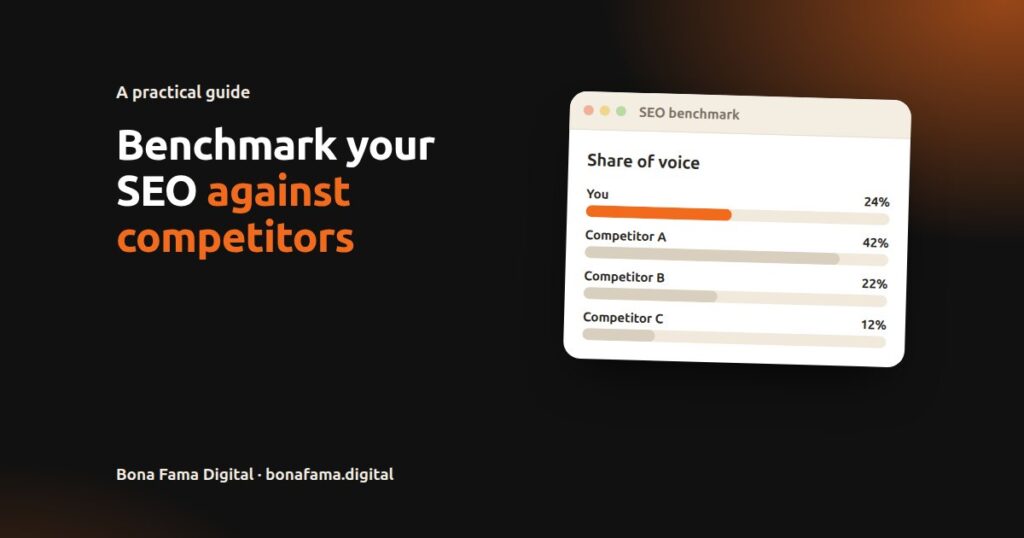
5. Calculate share of voice
Share of voice turns a long ranking table into one comparable number. A simple version:
- For each keyword, give points by position (for example, 10 points for position 1 down to 1 point for position 10, and 0 beyond).
- Add up each site’s points across the list.
- Divide each site’s total by the combined total of all sites tracked.
| Site | Points | Share of voice |
|---|---|---|
| You | 120 | 24% |
| Competitor A | 210 | 42% |
| Competitor B | 110 | 22% |
| Competitor C | 60 | 12% |
Illustrative numbers. Weight high-value keywords more heavily if some searches matter more to revenue than others.
6. Find the gaps and rank them
Compare topic by topic and list where competitors lead:
- Content gaps: questions they answer that you don’t.
- Quality gaps: you have a page, but theirs is clearer, more complete or more current.
- Authority gaps: they have links and mentions from sites that ignore you.
- Technical gaps: slower pages, indexing problems, weaker mobile experience.
- AI gaps: assistants cite them for questions where your site has an answer.
Rank each gap by likely value (search demand and how close it is to a sale) and effort. Fix high-value, low-effort gaps first.
Related: on-page SEO · backlink strategy
7. Repeat on a schedule
Re-run the same comparison every quarter, with the same list and tools. Rankings move daily, so monthly checks are useful for spotting problems, but quarterly comparisons show the real trend.
Related: custom marketing dashboards
How Does a Website Audit Help in Competitor Analysis and Benchmarking?
A website audit gives the benchmark its context. Rankings tell you who is ahead; an audit tells you why. Running the same audit checks on your site and on each competitor’s key pages shows whether the gap comes from technical health, content or authority.
| Audit area | What to compare | What a gap usually means |
|---|---|---|
| Crawling and indexing | Indexed pages, broken links, redirect chains | Search engines can’t see all of your content |
| Page speed | Core Web Vitals on matching page types | Slower pages lose users and may lose rankings |
| On-page | Titles, headings, answer placement | Competitors match the search question more closely |
| Content | Topics covered, depth, freshness | They answer questions you skip |
| Structured data | Organisation, LocalBusiness, Product, FAQ markup | Their pages are easier for machines to understand |
| Links | Referring domains and their relevance | They have more independent endorsements |
Without an audit, a benchmark can lead you to copy a competitor’s content when the real problem is that half your pages aren’t indexed.
Related: SEO audit
Should I Benchmark AI Visibility Too?
Yes. Customers increasingly ask ChatGPT, Claude, Perplexity and Google’s AI Overviews instead of scrolling through results. Add a short AI test to every benchmark:
- Take 20 to 30 questions from your shared list.
- Ask each one in each assistant.
- Record which businesses are named and which pages are cited.
This gives you an AI share of voice alongside your search share of voice. Results vary with wording and timing, so keep the question list fixed and look at the trend.
Related: How can I get my website cited by ChatGPT? · How to appear in Google AI Overviews
Which Tools Can I Use for SEO Benchmarking?
| Need | Free option | Paid options (examples) |
|---|---|---|
| Your own search data | Google Search Console | Not needed |
| Rankings for you and competitors | Manual checks in a clean browser | Rank trackers in Semrush, Ahrefs, SE Ranking |
| Traffic estimates for competitors | Not available | Semrush, Ahrefs, Similarweb |
| Backlinks | Limited free tiers | Ahrefs, Semrush, Majestic |
| Page speed | PageSpeed Insights | Not needed |
| AI citations | Manual tests | AI visibility tools, including our own FamaCue |
The tool matters less than consistency. Use the same tools, settings and keyword list each time, or the comparison isn’t valid.
Frequently Asked Questions
What is SEO benchmarking?
SEO benchmarking is measuring your website’s search performance against a fixed starting point and against competitors, using the same metrics, keyword list and time period, so you can see whether you’re improving and where you’re behind.
How many competitors should I benchmark against?
Three to five is usually enough. Choose the sites that appear most often for your most valuable searches, even if they aren’t your direct business rivals.
How often should I benchmark SEO performance?
Do a full comparison every quarter and a lighter check of rankings and traffic each month. Re-benchmark after major site changes or Google updates.
Can I see a competitor’s exact organic traffic?
No. Only the site owner can see their Search Console and analytics data. Third-party tools estimate competitor traffic, and Google says those tools don’t have access to its internal ranking data, so treat the numbers as estimates.
What is share of voice in SEO?
It’s your share of total search visibility across a fixed list of keywords, compared with the competitors you track. It turns many rankings into one number you can compare over time.
Get a Competitor Benchmark Done for You
Our Competitor SEO Benchmarking service analyses three to five direct competitors and delivers a clear report showing where they lead and the quickest ways to close the gap: keyword and ranking gaps, backlink comparison, content benchmarks and an opportunity roadmap.
Want to benchmark the questions, too? FamaCue finds the real questions in your Google data, shows which sites AI assistants cite for any question you enter, and tracks which questions are new, rising or falling over time.
👉 Request a benchmarking quote.